How To Upload Videos In Google Plus
📋 Table of Contents
Table of contents will be generated automatically based on article headings.
Video sharing is one of the famous feature of all social networking sites. We can share our video by uploading to YouTube or any other video sharing websites and share a link to social networking sites such as Facebook or Google Plus.
But Google+ has a feature to directly upload videos to it. That means we don’t need to upload it to YouTube or any other such video sharing sites.
Here are the steps:
- Sign In to Google Plus Account.
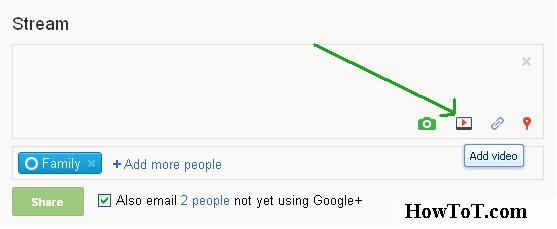
- Click on “Video” icon in the streams.
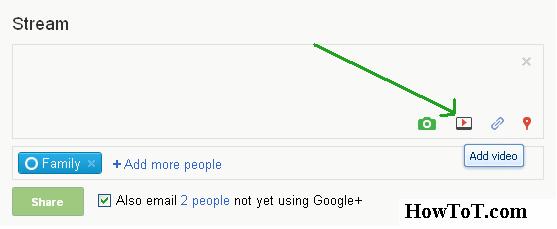
- In the drop-down menu click on “Upload Videos” and then select video from your computer.
- After you select the video, Google Plus will start uploading that video.

- At last click on the green “Share” button and you are done…….!

BW is a contributor at How To Guide. We are committed to providing well-researched, accurate, and valuable content to our readers.
You May Also Like

Related Articles