How to improve your Chromecast experience
📋 Table of Contents
Table of contents will be generated automatically based on article headings.
Demand seems to be really high for Google’s $35 TV dongle. The low price tag has proved to be very appealing to customers, who have been quick to adopt the company’s latest gadget
Despite there only being a handful of compatible apps, various workarounds have been discovered that enable more content to be delivered to Chromecast.
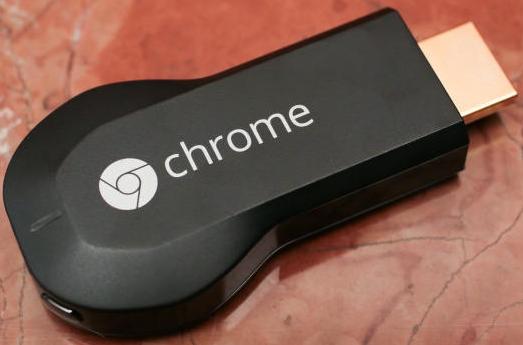
Here are a few tips and tricks that will definitely improve your Chromecast experience:
1. Play local media files direcly from your PC
You may have not been aware that you can stream content that is stored on your computer hard disk to your Chromecast. In Chrome browser, go to the File menu and choose the Open File option. Secondly, select the file you want to stream to your TV.
2. Lower settings to improve video playback
The Chromecast relies on a direct and continuous Wi-Fi connection to stream content. If videos are choppy or suffering from repeated buffering interruptions, it is highly recommended that you bring down your video quality.
3. Continue using your computer while streaming videos
One of the benefits of Chromecasting from your mobile device is the capability to perform multitasking. You can cast a video to your TV and then work with a new app without interrupting the stream.
4. Mirror your computer’s display on your TV
Not only is the Chromecast cast a tab from the Chrome Web browser, but the device can also showcase a computer’s entire desktop. To perform this, open the Chromecast extension in the Chrome Web browser. To the right of the “Cast this tab to…” option, choose the drop-down menu, and select cast your entire screen. Google warns that this option is only experimental and can crash very frequently. It should also be noted that sound will still emerge from the computer’s speakers.

joseph cyriac is a contributor at How To Guide. We are committed to providing well-researched, accurate, and valuable content to our readers.
You May Also Like

Related Articles