How to Turn Off/Disable Notifications in Google Plus

📋 Table of Contents
Table of contents will be generated automatically based on article headings.
Whenever any friends do follow you on Google plus or add you in circles, commenting, tagging, sharing, etc. will be notified to you by sending the instant emails to which you are given in Google+ account.
Many of us will get irritation after seeing this huge amount of bulk emails. You just can’t see your Inbox full with the unwanted emails which is great headache. In order to avoid this we can turn off these notifications.
Steps to follow:
a. Login to your Google Plus account.
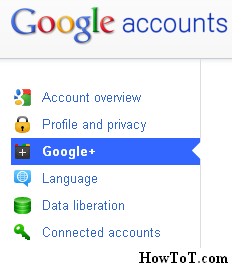
b. Click on name at top and then go to ’Account Settings’.
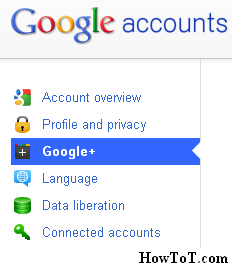
c. Then go to ‘Google+’ settings at the left side and you will see something like this below:

d. just do deselect the tick boxes and you are done with Turn off Notifications in Google+’

BW is a contributor at How To Guide. We are committed to providing well-researched, accurate, and valuable content to our readers.
You May Also Like

Related Articles