How to Transfer iPhone Apps and Games to Another iPhone
📋 Table of Contents
Table of contents will be generated automatically based on article headings.
If your friend has one iPhone, needs some applications that are on your iPhone, transferring them to there is easy. The process of downloading will waste our time and money.
Requirements for the transfer:
- Two iPhones
- USB, Mac or PC
- Computer
- Latest version of iTunes.
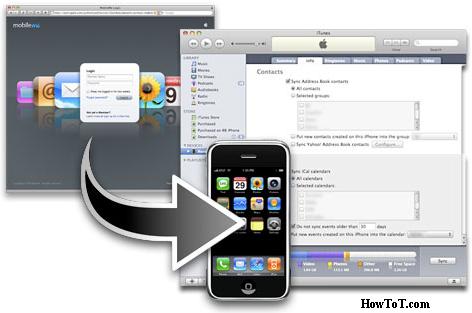
Connect the iPhone that have the apps you want to transfer into Mac or PC using its USB cable. You are supposed to use the iTunes of the targeted iPhone.
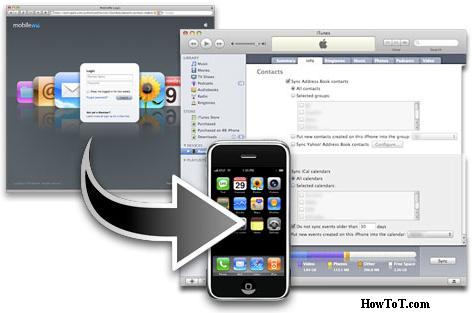
Steps to follow:
- Enter your iTunes username and password.
- The iTunes will open and synchronization will occur.
- After the synchronization, you can unplug your iPhone and connect the other one with the USB cable.
- After connecting, the name of the other iPhone will appear under the device heading on the side panel.
- Click on the apps under the library heading. There you will see all the apps you had synchronized by the first iPhone.
- Pick on apps you want to transfer to your new iPhone and drop them on the name you have given your new iPhone, click on sync at the bottom and they will be transferred to the new iPhone.
- On the application tab, you can see the apps that you have transferred.

BW is a contributor at How To Guide. We are committed to providing well-researched, accurate, and valuable content to our readers.
You May Also Like

Related Articles



This Post Has 29 Comments
Comments are closed.
I couldnt get it to restart so I pressed the on/off button AND the volume up button at the same time. When I felt the vibrating the phone restarted.
I second this. Just holding the power button down didn’t seem to have any effect.
I also just had to do the same thing. Worked after pressing power AND volume
My phone was not responding at all. No screen, no vibration, only the white color LED. Holding the power button didn’t work. So as Kim suggested, I pressed and hold both ppower and volume up buttons and it worked!
YOU ARE A GOD!!!! thank you so much!
I did only 2 first steps and my xperia restarted, but it has got low battery now (3%). It’s a little bit strange, because when I went to sleep, it had 35%
I pressed the power button and the volume up button at the same time for about 5-7 seconds. The phone shut down and I was able to do a normal startup.
my ione is not working its just re light all the time. nothing i can do
As per other comments being left, maybe the spelling, and instructions need updated slightly. Hold power key , then hold volume up key. Let go of both when phone vibrates, and should then re-boot. Appears to have got rid of some of the lag I was experiencing.
thanks bro this helped…. it was sure some lag or somethin and also anothr option is to try transfering ur data from internal memory to ur external memory so that ur operating system gets enuf of internal memory to run smoothly…. this lag happns mostly bcuz v full the internal memory wid our downloads and forget to transfer them to our external memory… once ur internal memory has enuf space the phone should run smoothly….. peace!!
hi !! I had a problem with my sony xperia Z. it’s in a secured mode. How can I take that mode away ???
while pressing volume up button and power button cell is not responding any other way to format option is there friends plz help
First…i was worried when my Xperia “freeze”, i had pushed the power button for long time but nothing was happened. I follow your instruction by holding power & volume up button at the same time for about 3 seconds…and whoila! my phone shut down and i can restart…now it back to normal condition…thank you very much for your very good advice ^_^
Thanks a million. Found lots of articles mainly saying to hold the power and up button at the same time and that does not work for me. Your procedure was different to those so I tried it and it worked. I did not get a vibration above but by just holding the power button for a few seconds (I had it pugged into a USB slot on my laptop) a red light appeared in the top right corner which indicated some life in the phone. Then holding the vol up for about 10 secs did the trick and after letting go I then got the vibration. Pressing power then started the phone. Excellent article.
used this a few times now works perfectly. very rare my phone will crash as its a amazing phone!!
omg thanks you saved my life 🙂
Thank you so much everyone for the advice which I took and it worked. Thank goodness!!!
If none of the button combos work! Then take out SIM card. Mine then auto restarted.
+1: I couldnt get it to restart so I pressed the on/off button AND the volume up button at the same time. When I felt the vibrating the phone restarted.
Thanks Kim It totally worked
yes with power button we have to press volume upwards then only the ph will restart.
yeah..power and volume up altogether
ive done absolutely all the tips and tricks everyone has offered. my phone still wont turn on or anything. when i have it on charge there is a solid red light, i leave it for a few mins and try the volume and power button technique, still nothing. This is the second time this has happened to my phone (the first time i was able to resolve it). What a piece of junk! My phone doesnt even have a restart button.. The fact that this phone even needs a well known “method” to turn it on, proves that it has had problems from the moment it was made. STUPID, STUPID, STUPID. IT is no longer a phone but a huge piece of junk! thanks for wasting my time SONY
shall the phone be of or un ?
Hi,
my sony turned off alone while it was charging and i was using it , and the red light at the top still red.. even if i unplug the charger or i plug it, and i can’t turn the red light off and can’t turn my phone on
non of the method u listed work
can any one help
I couldn’t get it to restart so I Pressed to on button and the volume and it shut down. worked great after…
my phone didn’t on & stuck at black screen, but the battery becomes hotter, i have no idea.
And your tips is worked, many thanks
my phn ony shows red LED , tried everythng 🙁
ny help guys??
I had a bit of a pickle when my phone alarm went off while I was listening to music, and the screen wouldn’t respond to touch. I couldn’t do anything because the alarm app overlayed everything! In the end I decided to try this, but the real way to do it is both the power button and the up volume key pressed down at the same time. I got the restart after that, and now my alarm isn’t blaring out at me!